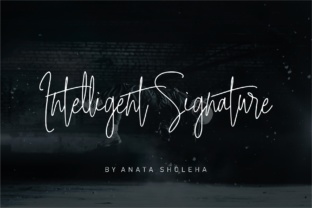
Intelligent Signature: A Premium Script Font That Elevates Real Business Branding
Last Tuesday, I was helping a local candle maker update her jar labels—simple white kraft paper, minimalist layout, just her brand name and scent title. She’d been using a free handwritten font she found online, but something felt “off”: the letters didn’t flow together, the “t” and “h” clashed awkwardly, and customers kept asking, “Is that *supposed* to look like that?” We swapped in Intelligent Signature, and suddenly the label looked intentional—not just handmade, but thoughtfully crafted. That’s when it clicked: typography isn’t decoration. It’s your brand’s first handshake.
What Makes Intelligent Signature Feel So Human—and So Effective?
Intelligent Signature is a Script Handwritten typeface designed to mimic natural handwriting—but not in a casual, scribbled way. It’s refined. There are over 100 ligatures built in (like “fi”, “fl”, “th”, “ct”, and even elegant contextual joins like “and” or “the”), so words connect smoothly, like ink gliding across paper. The strokes have subtle variation in weight, gentle tapering at terminals, and a relaxed rhythm that avoids robotic uniformity. It’s warm without being cutesy, luxurious without feeling stiff, and contemporary without losing soul.
As a creative consultant who’s reviewed dozens of fonts for small businesses, I’ve seen how many “handwritten” fonts fall flat on real packaging: too thin to print clearly on kraft paper, too tight for small product tags, or too inconsistent to scale across digital and physical touchpoints. Intelligent Signature holds up beautifully at 14 pt on a candle jar label, shines at 48 pt in an Instagram story banner, and still feels personal at 24 pt on a café menu header.
Where It Shines (and Where to Use It Thoughtfully)
This isn’t a workhorse font for body copy—it’s a display font, best used where you want personality and polish to lead. Think of it as your brand’s signature moment:
- Logo design: Works exceptionally well for monogram logos or wordmarks where elegance and approachability matter—especially for beauty brands, boutiques, or coaching services.
- Product labels & packaging: Perfect for scent names on candles, flavor names on gourmet treats, or ingredient highlights on skincare jars. Its natural flow helps guide the eye without shouting.
- Thank-you cards & gift tags: Adds sincerity and warmth—ideal for handmade sellers who want their packaging to feel like a personal note, not a receipt.
- Social media graphics: Stands out cleanly in square or vertical templates, especially against soft backgrounds or neutral photography.
- Website banners & shop headers: Gives e-commerce sites a tactile, human quality—critical when customers can’t touch your product.
That said, readability matters. On tiny stickers (<12 pt), stick to short words or initials. For mobile screens, avoid long paragraphs—even beautiful script loses clarity when compressed. And always test print: some scripts don’t render crisply on thermal printers or low-res labels. Intelligent Signature includes OpenType features and multiple file formats (OTF, TTF, WOFF), so it’s reliable across platforms—from Canva to Adobe Illustrator to Shopify theme editors.
Pairing It Right: Simple, Strong Combinations
A great script font needs grounded contrast. My go-to pairing? A clean, neutral sans serif—think Inter, Montserrat, or Helvetica Now. Use Intelligent Signature for your brand name or headline, and the sans serif for descriptors, ingredients, pricing, or body text. The contrast says “I’m confident in my craft, and I respect your time.”
For a more editorial or luxury feel, try pairing with a delicate serif like Playfair Display or Cormorant Garamond—ideal for café menus or boutique lookbooks. Avoid stacking two decorative fonts; Intelligent Signature carries enough presence on its own. And if you’re building a full brand system, remember: consistency wins. Use the same pairing across your website, packaging, and social posts—it quietly tells customers, “This is all part of the same thoughtful world.”
Before You Install: A Quick Licensing & Setup Check
Since this is a commercial font, double-check the license covers your use case: selling physical products (like candles or baked goods), creating client-branded assets, or distributing digital templates. Most reputable vendors include clear commercial licensing—just confirm it allows for unlimited impressions, merchandise, and resale rights if needed.
You’ll also want to explore what’s included beyond the base font file. Does it offer stylistic alternates? Swash capitals? Multilingual characters (for accents, umlauts, or extended Latin support)? These details matter when your candle brand expands into European markets—or your café adds a French-inspired seasonal menu. And yes, those 100+ ligatures only activate in apps that support OpenType features (like Illustrator, Affinity Designer, or modern versions of Canva), so enable them in your software settings for the full effect.
At the end of the day, Intelligent Signature doesn’t transform your business overnight—but it does remove friction between your intention and how people perceive it. When your bakery box, skincare label, or Instagram post looks like it was made by someone who cares about every detail, customers respond. Not with applause, but with trust. With return visits. With quiet confidence that yes—this is the real thing.